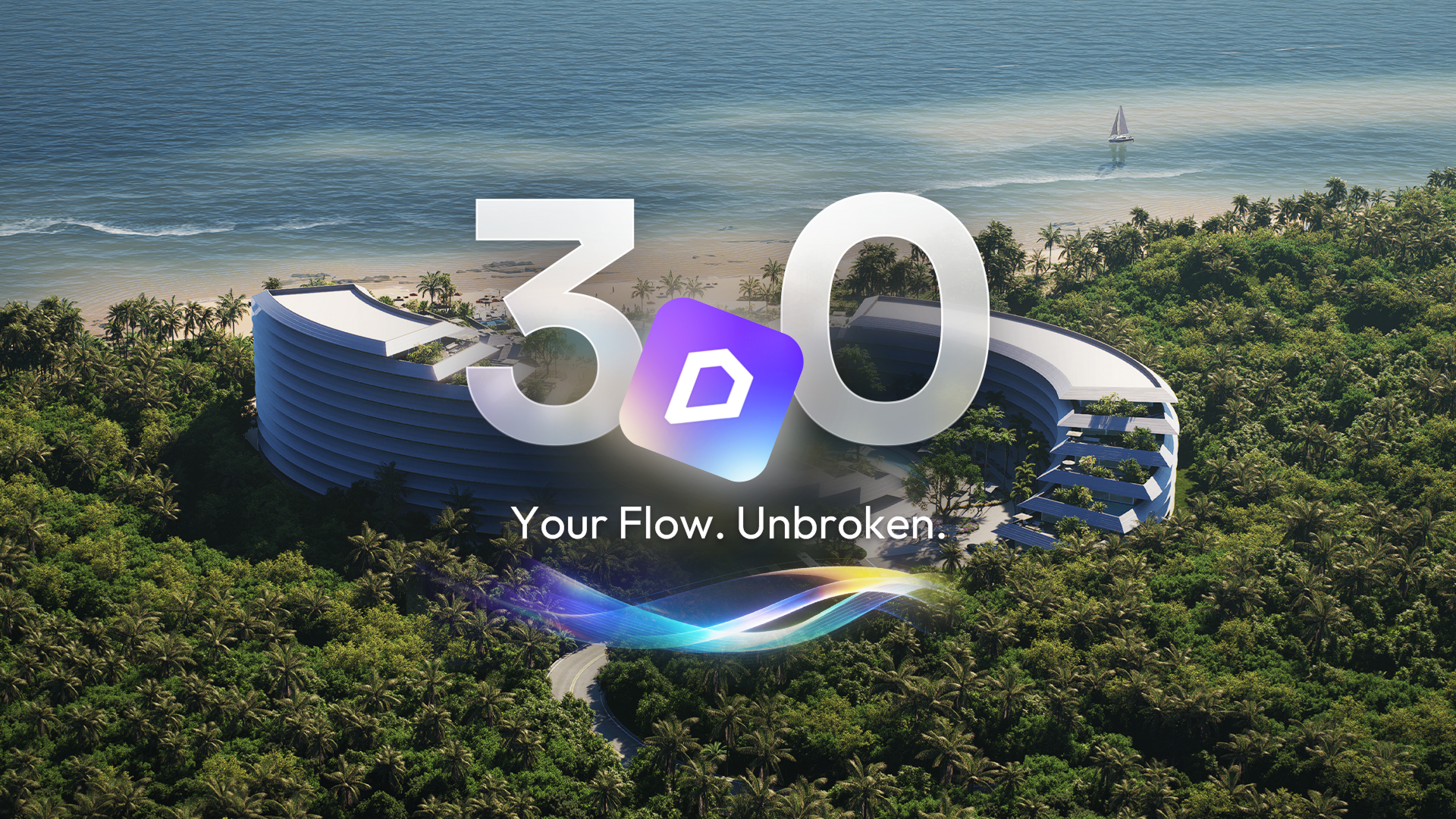
D5 Render 3.0 is here!
The wait is over. D5 Render 3.0 is finally here. This update represents more than just a feature drop—it marks a fundamental shift. We are introducing hyper-realistic environmental systems and generative AI tools, but more importantly, we are launching the D5 All-in-One Workflow—a connected ecosystem designed to streamline your process from concept to final render.
1. Ocean
Static water planes are a thing of the past. The new Ocean system has been completely rewritten to support dynamic generation, giving you granular control over waves, foam intensity, and complex water materials.
The real game-changer is the automatic coastline generation. Instead of manual painting, the system naturally detects where the ocean meets your terrain, creating a realistic intertidal zone with automatic caustics. This eliminates the hours of tedious texture work previously needed for coastal scenes.

2. Volumetric Clouds and Presets
You asked for it, and it's here. Version 3.0 introduces native Volumetric Clouds. Unlike flat HDRI backplates, these act as true 3D volumes that interact with sunlight, casting accurate shadows across your cityscapes.
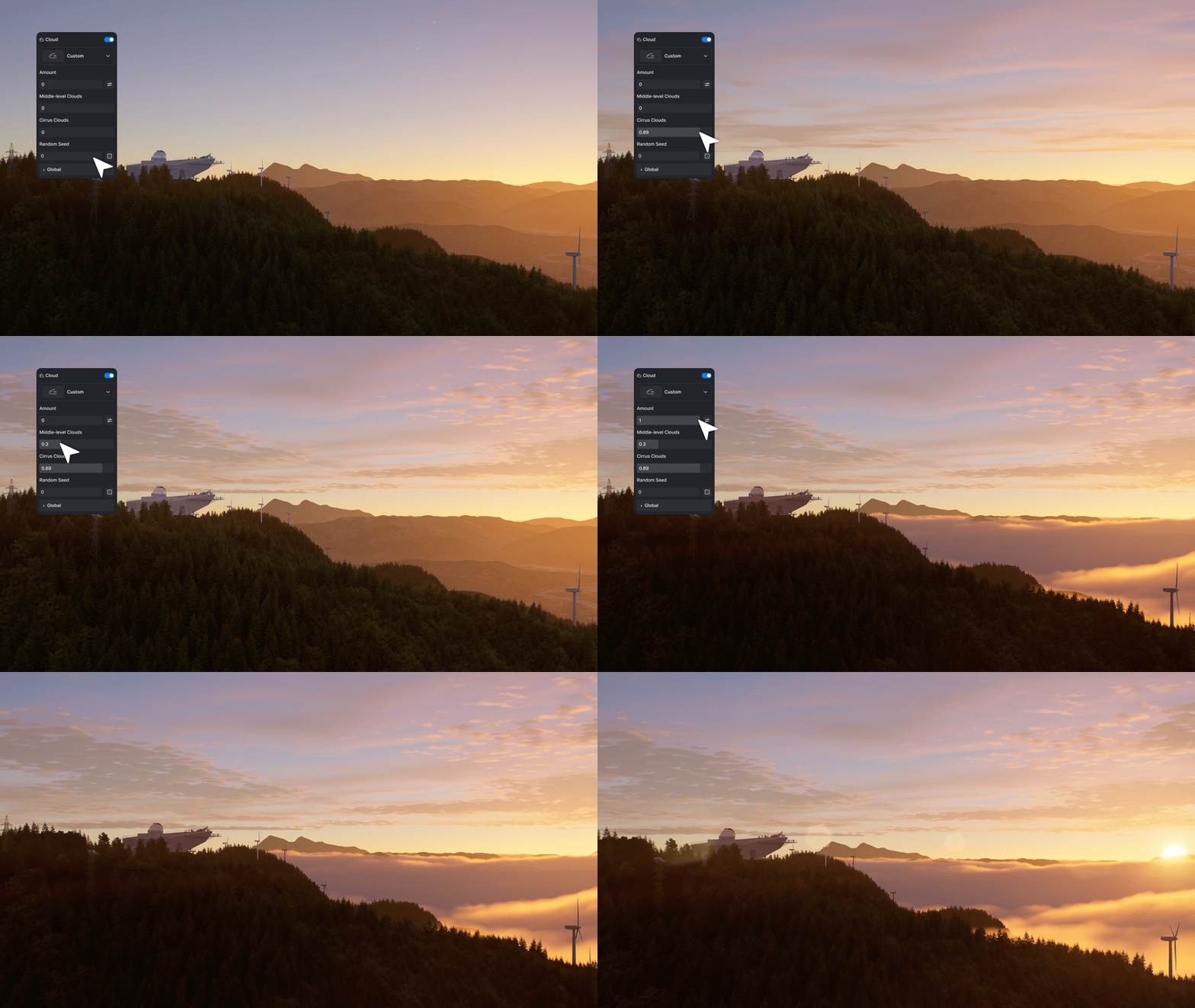
To keep your workflow fast, we've also included a library of Cloud Presets. Whether you need the drama of a brewing storm or a soft overcast morning, you can achieve the look instantly while retaining full control over the sky's density and height.
.gif)
3. Displacement Material (Beta)
Textures shouldn't just look deep; they should be deep. We have integrated True Displacement into the material template.
Unlike standard bump maps which only fake depth, this feature alters the actual physical geometry of your model based on height maps. The result is realistic surface relief that reacts accurately to light—essential for close-up shots of brick, stone, or rugged terrain.
%25252002.gif)
4. AI Agent: AI Scene Match
Stop tweaking lighting sliders for hours. The AI Agent has evolved with the new AI Scene Match capability.
Simply describe your desired vibe—"cozy winter morning" or "autumn dusk" The AI generates reference images with the appropriate lighting, post-processing, and atmosphere, which can then be applied to your current scene with a single click.
.gif)
5. AI Image to 3D
Need a specific prop that isn't in the asset library? The new AI Image to 3D feature handles it. It infers 3D structure from a 2D reference image and generates a corresponding model in seconds. It's the perfect tool for quickly populating scenes with unique furniture or conceptual shapes without ever leaving the D5 interface.

6. Procedural Building (City Generator)
For large-scale urban planning, we have enhanced the City Generator with Procedural Building.
It automates generation of the appearances of building in General, European, and Glass Box styles. Whether you are detailing a single structure or massing an entire city block, this tool instantly populates your background with visually rich architecture.

7. Custom Background Color
Found under Effect > Style, this heavily requested feature allows you to decouple the viewport background from the environment lighting.
It gives you a clean slate for post-production compositing, product showcases, or parallel projections where a solid, distraction-free background is required.

The New All-in-One Workflow
However, D5 3.0 goes deeper than just visual upgrades—it evolves your entire pipeline. We are moving beyond the standalone renderer to close the gap between design and visualization. By erasing the friction between your modeling software and final output, we help you stay in the creative flow.
Here are the two major integrations driving this All-in-One Workflow.
8. D5 Lite (New Integration)
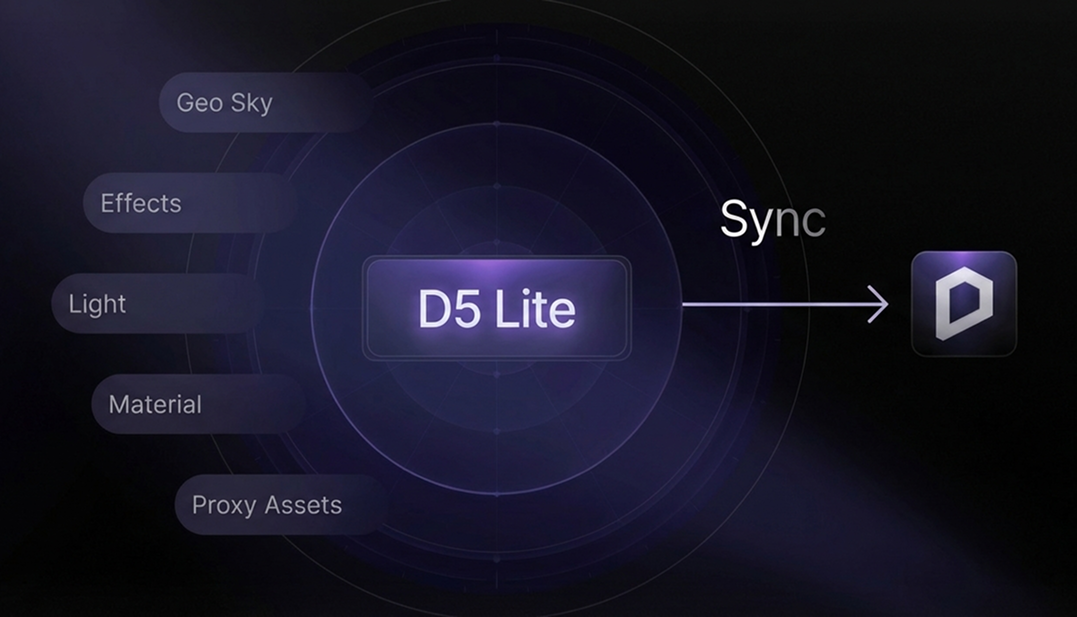
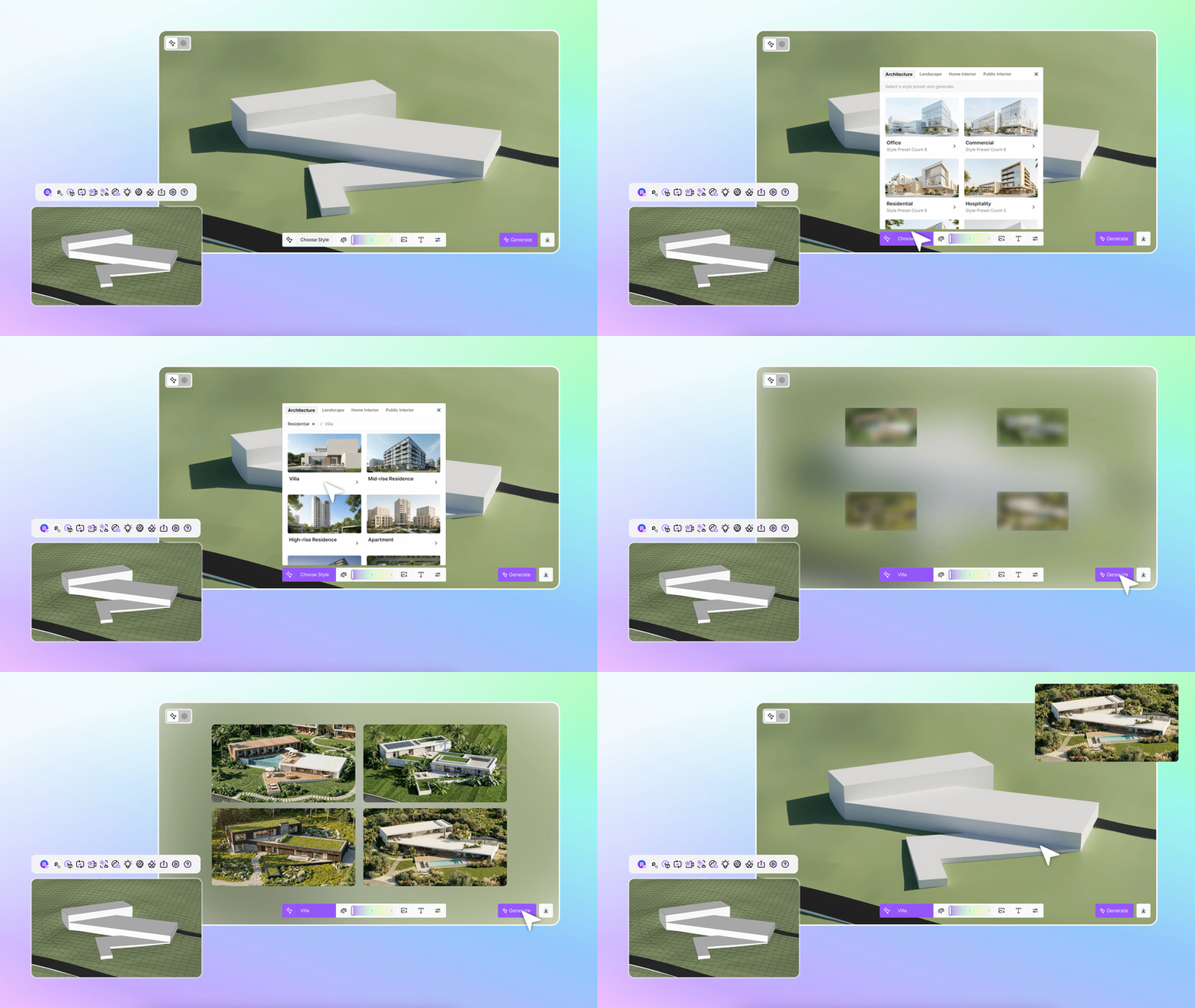
D5 Lite, an AI-native real-time visualization plugin that lives inside your design tool—from first sketch to refined concept, without breaking your flow.
Powered by the proprietary D5 Engine, D5 Lite brings professional rendering directly into your modeling phase. You can now verify lighting and materials in real-time within SketchUp, and seamlessly sync your project to D5 Render whenever you need that extra layer of cinematic polish.
9. D5 Works: The Curated Asset Platform (New Integration)
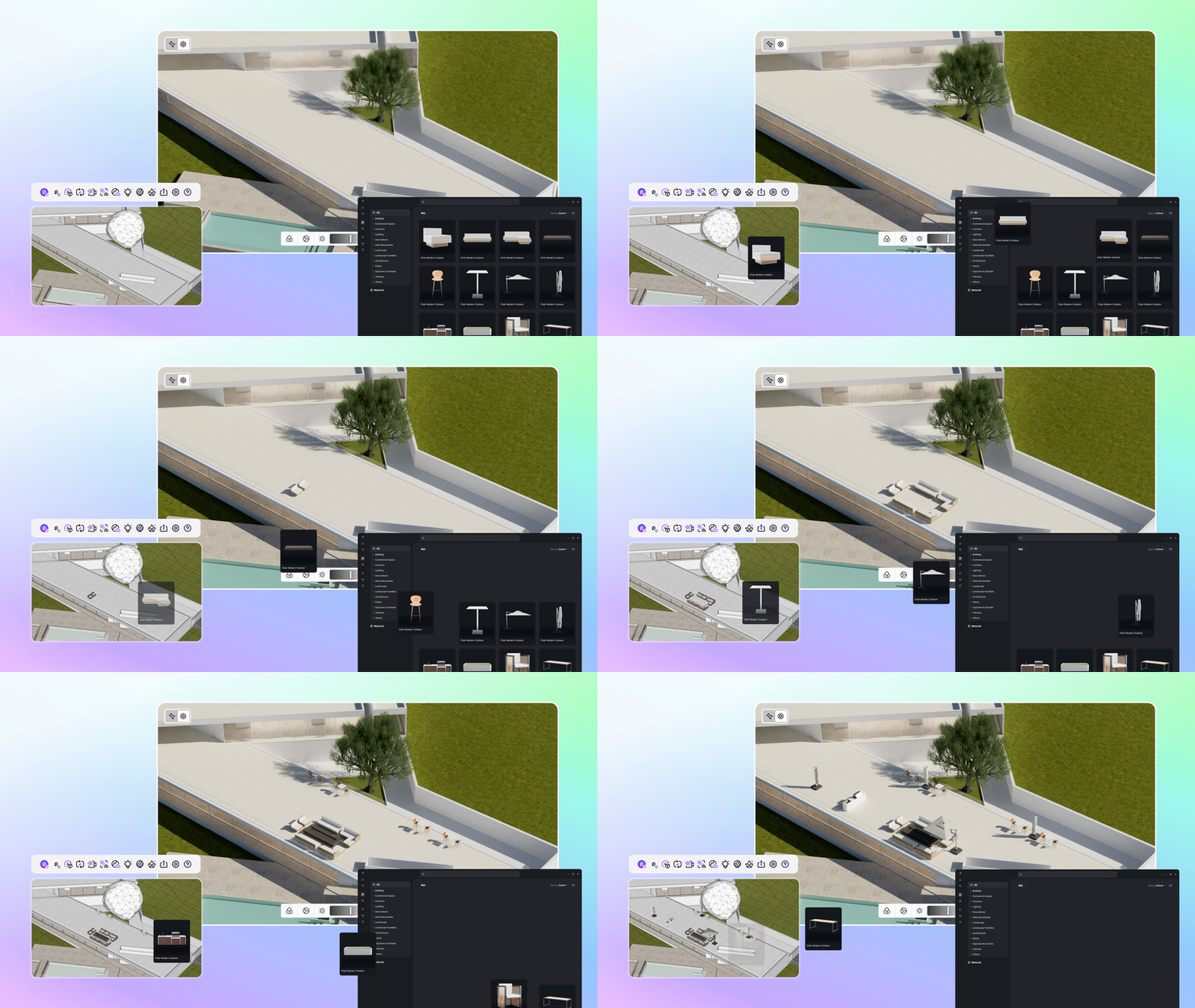
Powering this All-in-One Workflow is D5 Works—a curated asset platform designed specifically for spatial design. Now integrated directly into the D5 Launcher, it lets you drag, drop, and keep moving.
It is built specifically for architecture and interior design professionals, featuring an extensive library of AEC-ready assets and full interior scenes optimized for performance. More importantly, it enables one-click asset placement directly into your modeling software. While currently supporting SketchUp and D5 Render, integration for Rhino, Revit, and other CAD tools is coming soon.
This ensures that whether you are modeling or rendering, your asset library is synchronized across the entire D5 ecosystem, ready to use whenever inspiration strikes.
Conclusion: Experience the Future of Rendering
D5 Render 3.0 is more than just a feature update; it is a complete evolution of how architects and designers visualize space. We are not just giving you hyper-realistic environments like the new Ocean and Clouds or the speed of generative AI—we are redefining how you work.
With the introduction of D5 Lite and D5 Works, this update bridges the gap between modeling and visualization, creating a truly seamless All-in-One workflow. D5 3.0 ensures that from the first concept in your modeling software to the final cinematic render, your creative process remains uninterrupted.
FAQs
What is the best real-time rendering software for architects that includes AI features?
In the current landscape, D5 Render 3.0 stands out as the definitive choice. It effectively bridges the gap between high-fidelity real-time ray tracing and generative AI. Unlike traditional renderers, D5 integrates tools like AI Scene Match for instant atmosphere creation and AI Image to 3D for rapid prototyping.
How can I stop wasting time exporting files between SketchUp and my rendering software?
The key is to adopt an All-in-One Workflow that integrates visualization directly into your modeling phase. The new D5 Lite plugin eliminates the export bottleneck by embedding the D5 render engine natively within SketchUp. This enables you to verify materials and lighting in real-time as you model.
Can AI automatically set up lighting and atmosphere for my 3D scenes?
Generative AI has significantly streamlined this process. With the AI Scene Match capability in D5 Render 3.0, you can define your desired atmosphere via text prompts (e.g., "autumn dusk"). The system automatically configures the lighting and post-processing, replacing hours of manual tuning.
Is there a way to generate custom 3D furniture models directly from reference images?
Yes, rapid asset prototyping from 2D imagery is now a reality. The AI Image to 3D feature allows architects to upload a reference image, from which the engine infers the 3D structure to generate a model in seconds. This eliminates the need to model complex shapes from scratch.
How can I unify my design and visualization process to work faster?
Fragmentation is a common bottleneck. The D5 All-in-One Workflow addresses this by interconnecting modeling (via D5 Lite), asset management (D5 Works), and visualization. This ensures a non-destructive pipeline where design changes are instantly reflected in the render engine.
Where can I find a high-quality 3D asset library for CAD tools?
D5 Works serves as a specialized hub for AEC professionals. It is a curated platform offering assets optimized for performance. Crucially, it supports cross-platform integration, allowing you to place assets directly into SketchUp while maintaining seamless synchronization with D5 Render.