How to create a realistic outdoor design in D5 Render
In this guide, you’ll learn step by step how to build a modern patio scene from start to finish. The same workflow works perfectly for gardens, patios, courtyards, pool areas, and façade visualizations.
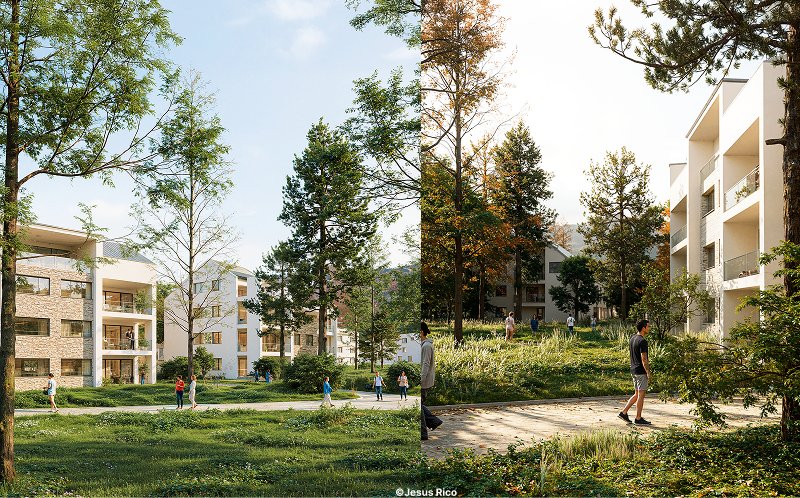
Creating a realistic outdoor design used to mean hours of fine-tuning and waiting for renders. With D5 Render’s real-time workflow, you can now build a photorealistic outdoor space faster than your lunch break. You can easily go from a blank model to a finished visual in ±30 minutes using an answer-first workflow and the following elements:
- Smart materials deliver realistic reflections, textures, and micro-detail
- Asset Library and SmartPlanting make outdoor spaces look natural and climate-aware
- Real-time lighting, camera control, and AI post-processing create photo-like renders without switching software
How to quickly create a realistic outdoor design in D5 Render?
To quickly create a realistic outdoor design in D5 Render, start with a clean base model, apply ready-to-use PBR materials, populate the scene with varied assets and SmartPlanting, set up daylight, frame the view using two-point perspective and a realistic focal length, and finish with AI Enhancer, Style Transfer, and Inpainting for a photorealistic final result.
30-minuten workflow checklist:
- 0–5 min: Clean up the base model (bevel edges, add small imperfections) → sync with D5
- 5–10 min: Apply smart materials (library + adjust roughness/tiling)
- 10–18 min: Populate the scene (hero objects, layered vegetation, scatter with variation)
- 18–24 min: Set up lighting (Geo & Sky / Custom / HDRI, match reference mood)
- 24–27 min: Define the camera (two-point perspective, focal length, lock composition)
- 27–30 min: AI polish (Enhancer → Style test → Inpainting fixes)
Which tools to use for a realistic outdoor design in D5 Render?
D5 Render includes many powerful tools to help you achieve convincing realism with ease:
- Materials: Material Library (PBR-ready)
- Assets: Asset Library (plants, furniture, props), Scatter
- Planting: AI Agent – SmartPlanting
- Lighting: Geo & Sky, Custom, HDRI
- Camera: Two-point perspective, aspect ratio, focal length
- AI post: AI Enhancer, AI Style Transfer, AI Inpainting, Motion Blur
How to model a base that renders realistically for outdoor scenes?
A realistic outdoor render starts with a well-considered 3D model. Bevel sharp edges so light behaves naturally, avoid sterile perfection, and introduce controlled variation in stones, planting, and terrain.
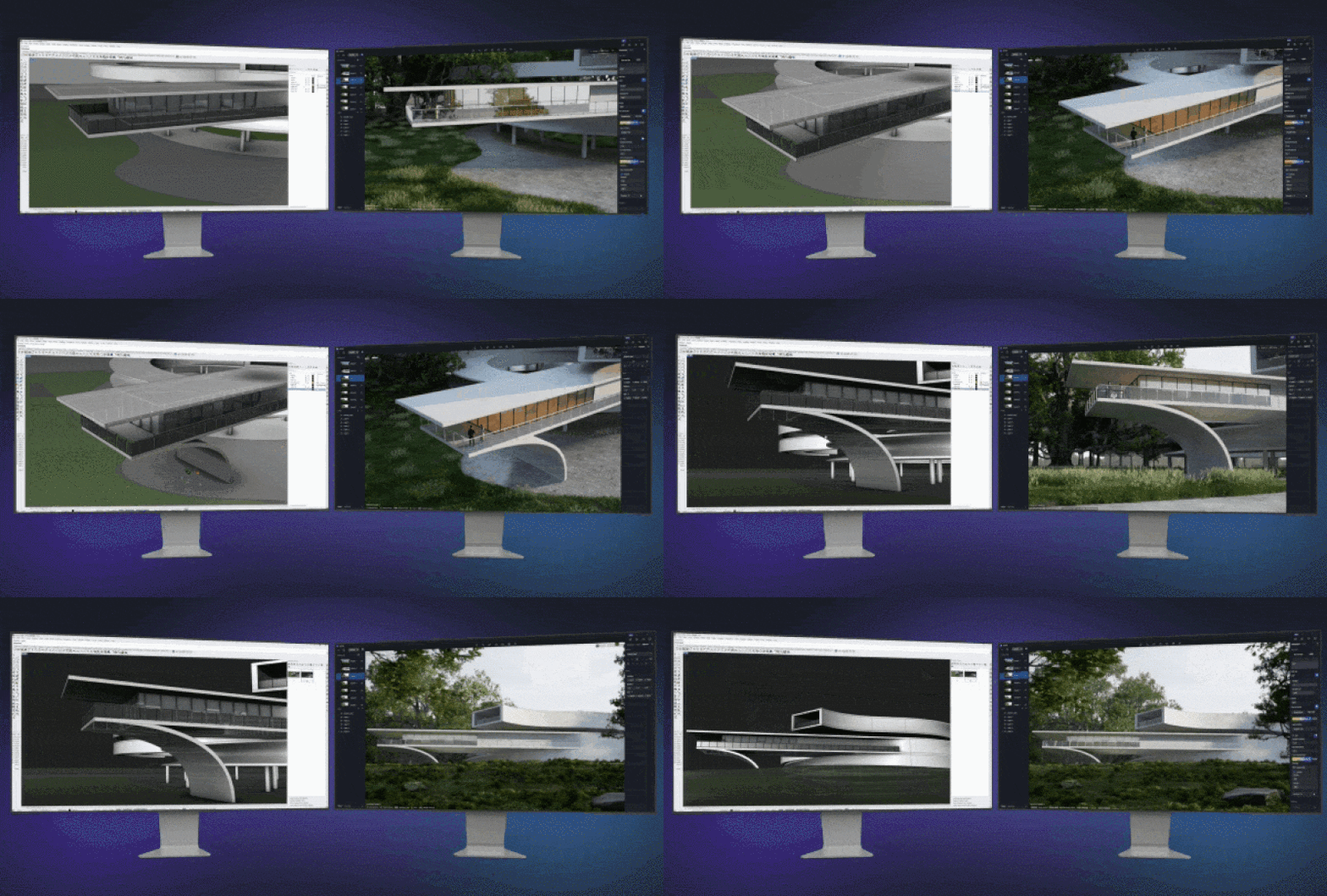
The big advantage: D5 Render syncs seamlessly with major design tools. Any changes you make to your model, materials, or cameras appear instantly in D5, allowing you to focus on design decisions instead of export issues.
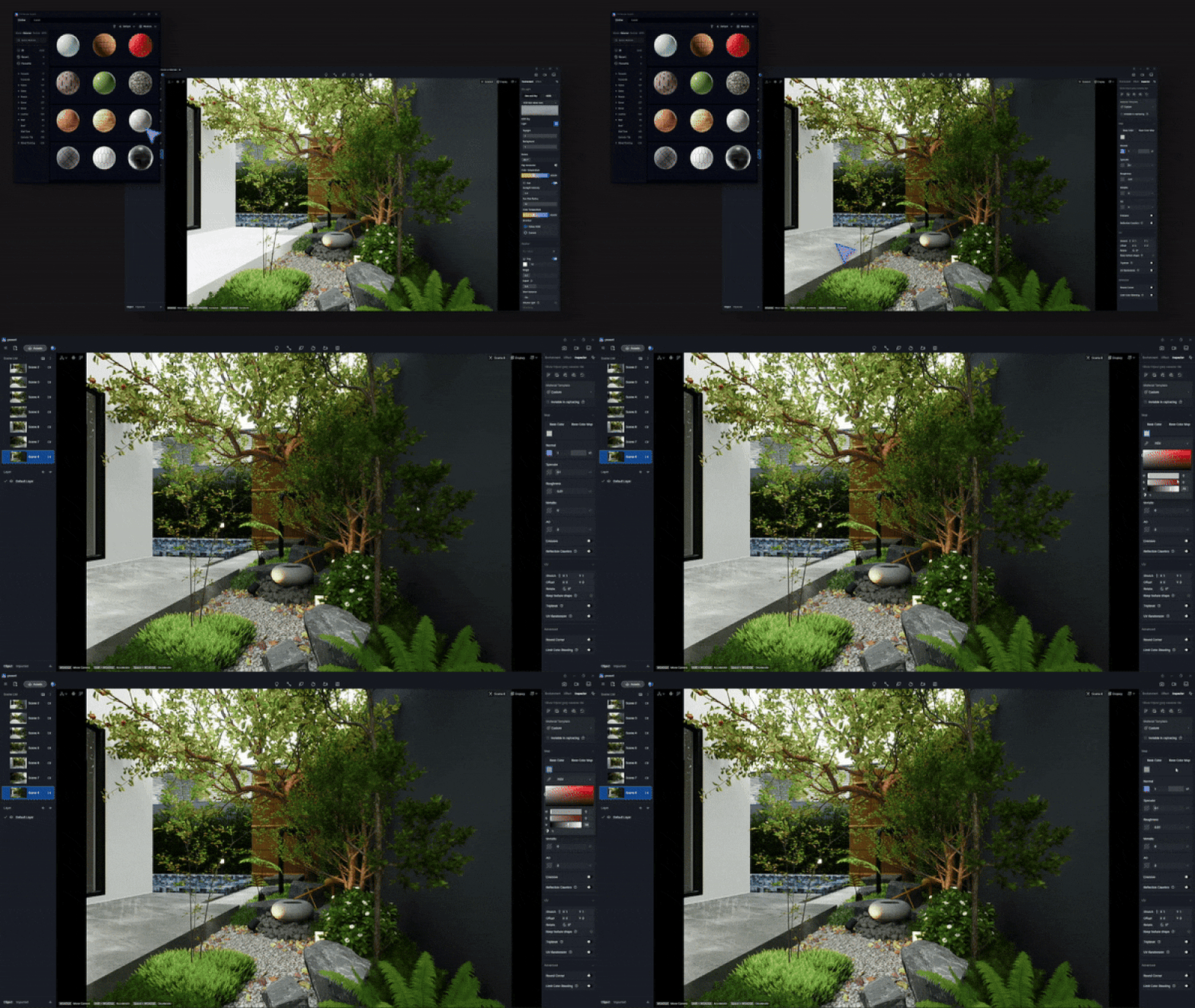
How to apply realistic outdoor materials in D5 Render?
Use the built-in Material Library to achieve physically accurate results right away. Base color, normal, roughness, and specular values are already set correctly.
Work efficiently by following these steps:
- Choose a material (e.g. concrete)
- Apply subtle variations in roughness and scale
- Combine finishes (smooth base wall, rougher upper wall)
Small adjustments make the difference between “CG” and “lifelike.”
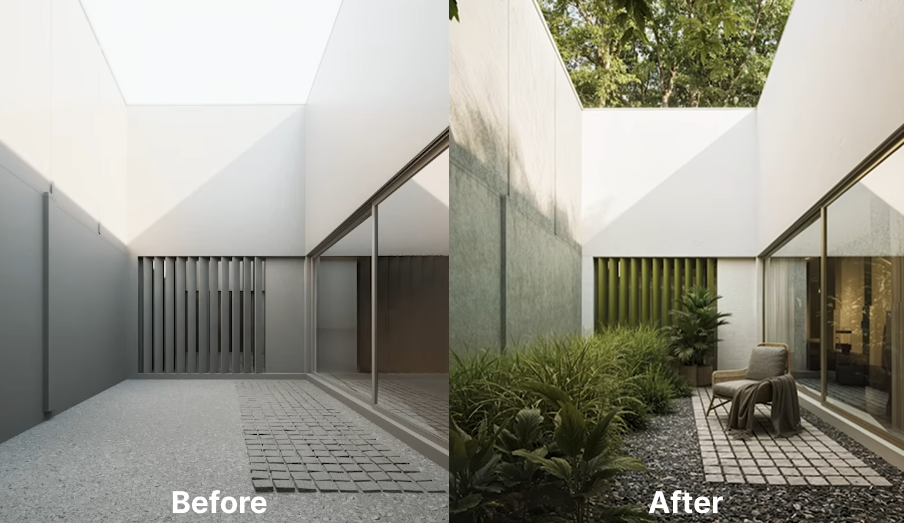
How to populate an outdoor space so it looks natural?
Work in layers:
- 1–2 hero objects
- Midground: furniture and planters
- Foreground and background: vegetation with variation
Realistic outdoor design relies on variation in height, density, rotation, and species. Avoid repetition.
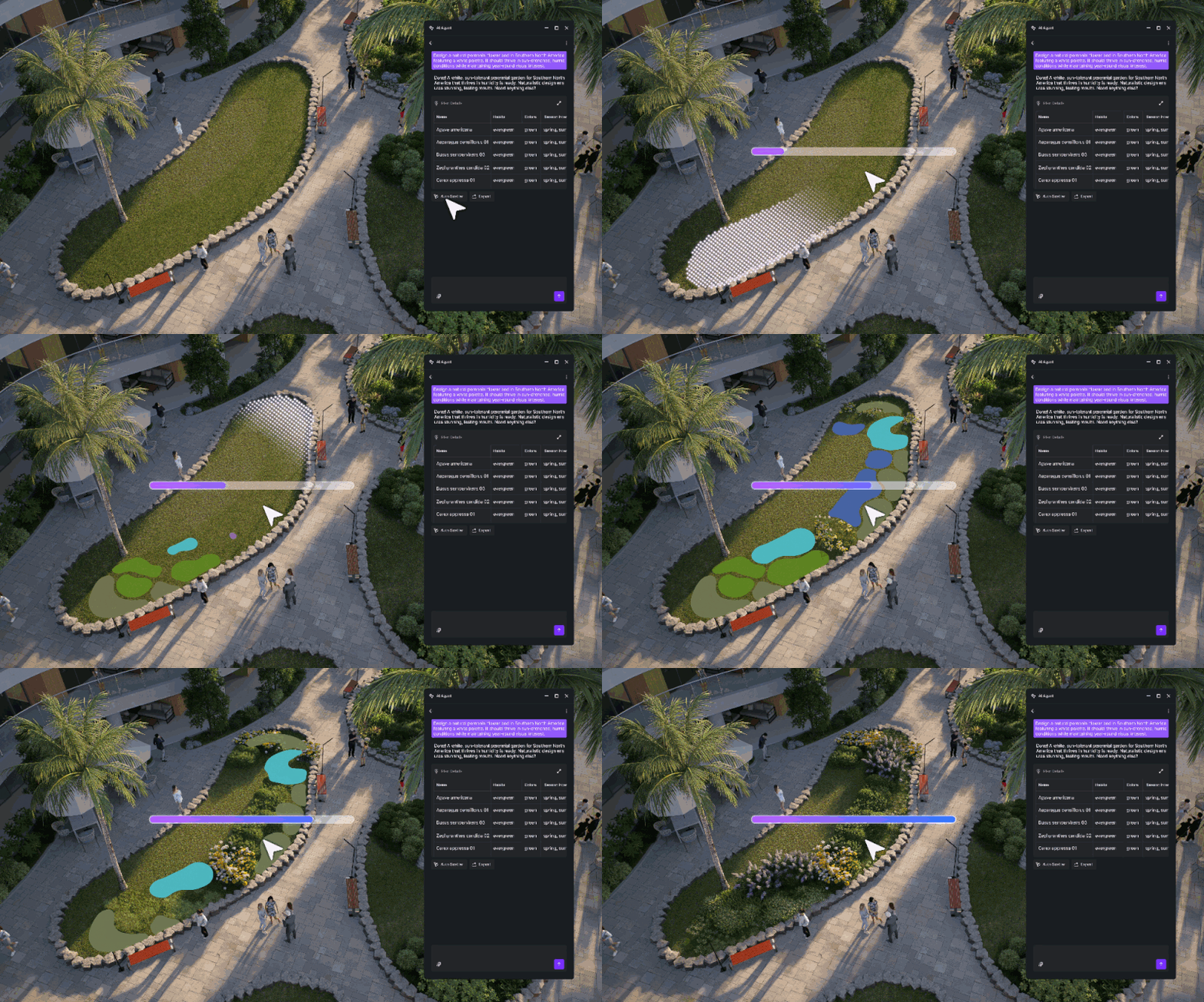
What is SmartPlanting?
SmartPlanting automatically generates site-specific, climate-adaptive planting combinations based on your project location. Everything happens in real time—like digital gardening.
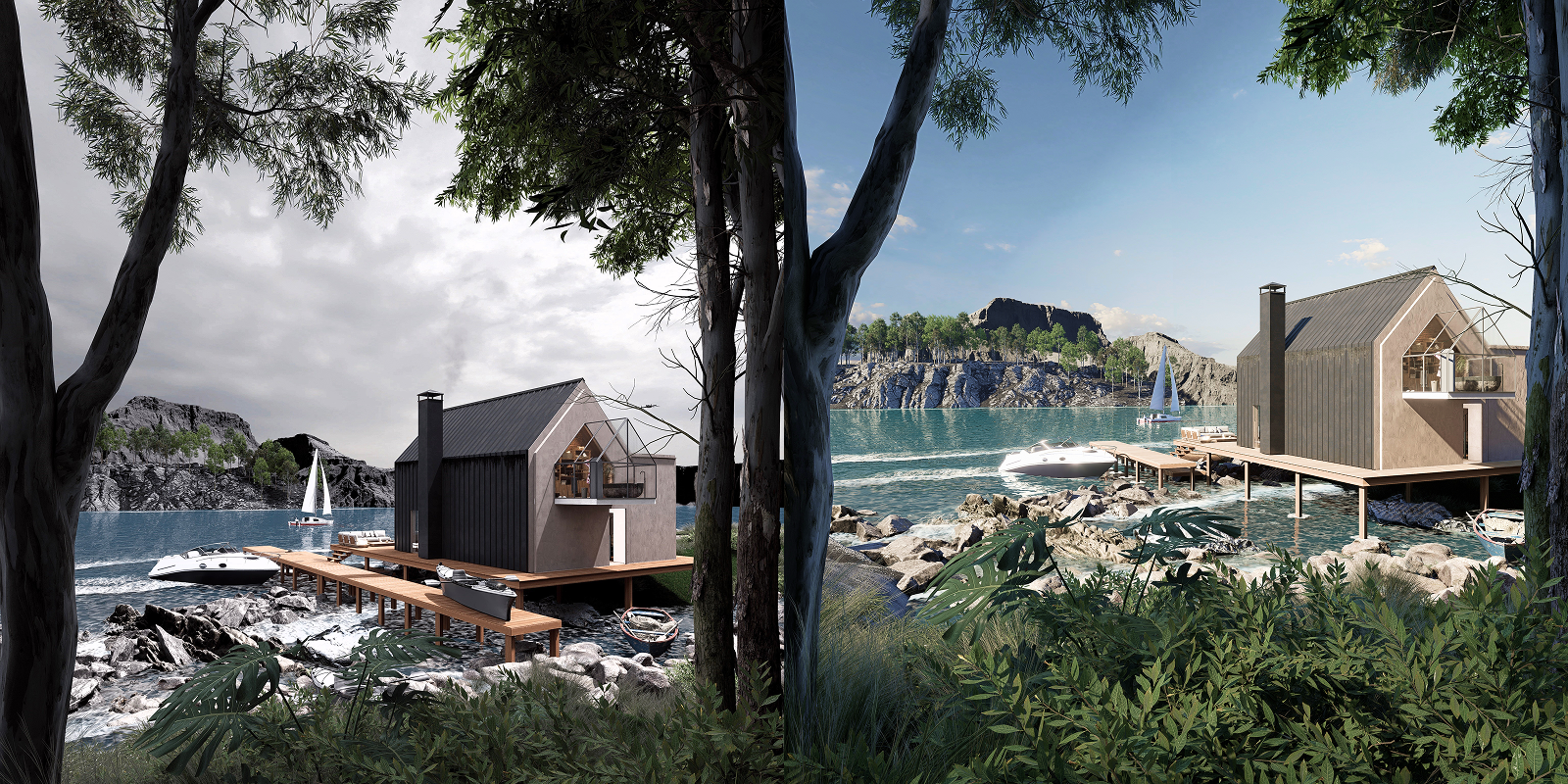
What’s the fastest way to get natural outdoor lighting?
- Geo & Sky: quick control over sun position and time of day
- Custom: precise, location-based control
- HDRI: soft, realistic daylight with rich indirect lighting
For most outdoor designs, HDRI is the fastest route to realism. Because everything updates in real time, you can adjust the mood within minutes.
How to frame an outdoor render like a real photo?
- Choose a suitable aspect ratio (vertical or cinematic)
- Enable two-point perspective to avoid leaning walls
- Select a focal length:
- Short = wide and immersive
- Long = focused and compressed
Lock the camera and build the scene around one strong composition, just like a real photoshoot.
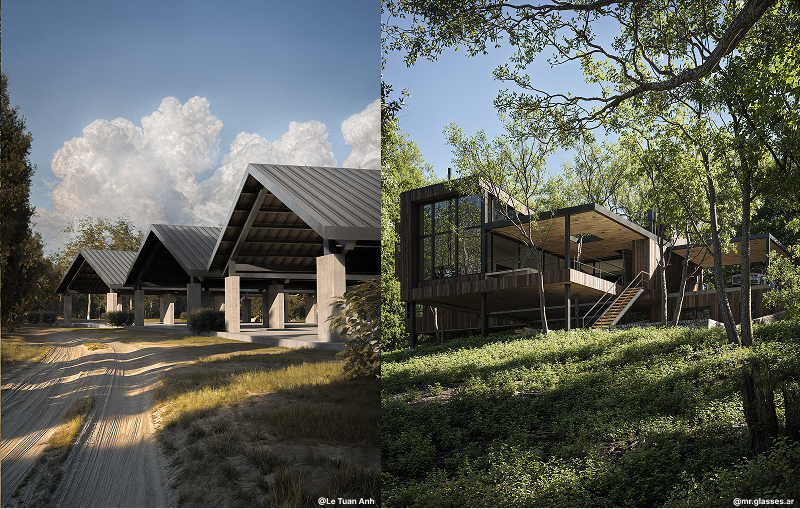
Which D5 AI tools improve realism the most?
Use the following order:
- AI Enhancer: boosts detail in materials, vegetation, and lighting
- AI Style Transfer: quickly test moods (golden hour, overcast, illustrative)
- AI Inpainting: fill empty skies, thicken treelines, extend greenery
- Motion Blur: subtle movement for people and vehicles
Everything happens inside D5—no exports or Photoshop detours.
%201.gif)
Common outdoor-render problems (and quick fixes)
- Looks flat: bevel edges, vary roughness, use HDRI
- Vegetation feels copied: vary species, scale, and density; use SmartPlanting
- Leaning walls: enable two-point perspective
- Empty sky: switch HDRI or use AI Inpainting
- Materials look too clean: reduce uniformity, add subtle imperfections
Conclusion: realistic outdoor design with D5 Render
Creating a photorealistic outdoor design no longer needs to take days. With D5 Render, you combine real-time rendering, smart materials, a rich asset library, and powerful AI tools into a fast, fluid workflow.
From gardens and patios to façades and courtyards, D5 Render elevates your outdoor designs to the next level—in record time.
FAQ – Creating realistic outdoor design in D5 Render
What’s an easy way to create realistic outdoor visuals without being a 3D expert?
Use D5 Render to automate lighting, materials, and assets while you focus on design.
Which software is best for fast outdoor renders of gardens and patios?
D5 Render is built for fast, realistic outdoor designs with live sync and ready-made assets.
How can I speed up client presentations for outdoor projects?
Use real-time rendering so you can adjust lighting, camera, and planting live during meetings.
What’s a good 30-minute workflow for outdoor renders?
Clean model → smart materials → assets + SmartPlanting → lighting → camera → AI polish.
How do I get natural daylight without complex settings?
Use Geo & Sky, Custom, or HDRI—all real time and easy to adjust.
Can AI really help with realistic outdoor renders?
Yes. AI Enhancer, Style Transfer, and Inpainting improve realism quickly without breaking your workflow.
Does D5 Render work well with sketchup, revit, or rhino?
Yes. D5 syncs with major design tools so changes update instantly.
What should I look for in software for outdoor visualization?
Real-time rendering, strong materials and assets, simple lighting, and AI post-processing.